OpenForge insight
Should My App Be Using Apple’s Foundation Models?
AI is now a baseline expectation in mobile, at least in stakeholder conversations and competitive audits. But inside real product teams, the question isn’t…
January 25, 2026

OpenForge insight
By OpenForge editorial team · Published December 22, 2025 · Updated January 5, 2026
Schedule a Free Demo Schedule a Free Demo Schedule a Free Demo TALK TO AN EXPERT 1. What is offline mobile app design? 2. What does offline-first UX mean? 3. Why is offline UX critical for healthcare apps? 4. How do mobile apps sync data after being offline? 5. Which industries benefit most from offline mobile apps?
Building a mobile app that works flawlessly online is no longer a competitive advantage, it is baseline expectation. Designing an app that performs reliably without connectivity is where most enterprise teams fail.
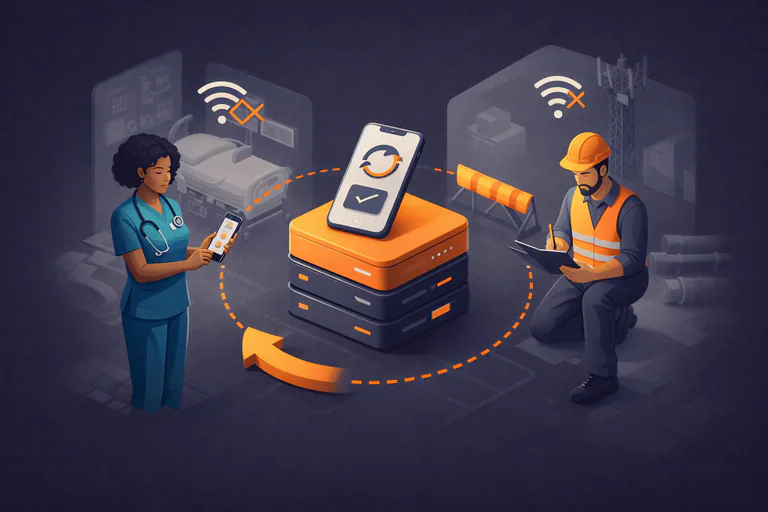
For healthcare professionals and field teams, offline access is not a convenience feature. It is mission-critical. Nurses documenting patient care, technicians servicing remote infrastructure, inspectors operating in low-signal environments all rely on mobile apps that must function regardless of network conditions.
Offline mobile app design is not a technical afterthought. It is a UX, architectural, and product strategy decision.
This guide explores how to design offline-first mobile apps with a UX-led approach specifically for healthcare and field teams, so reliability, usability, and scalability remain intact when connectivity disappears.
Offline mobile app design is often reduced to “caching data locally.” In reality, that definition is dangerously incomplete.
A truly offline-capable mobile app:
In healthcare and field operations, offline UX failures introduce operational risk, not just poor user experience.
Hospitals have dead zones. Rural and industrial environments lack consistent coverage. Field teams operate underground, inside structures, or in motion.
Offline-first mobile apps ensure:
If the app cannot complete critical tasks offline, it is not production-ready.
Healthcare professionals and field technicians cannot troubleshoot applications mid-task.
Effective offline mobile app UX must:
If users are uncertain whether data saved correctly, trust erodes immediately, and workarounds emerge.
In healthcare especially, incomplete, duplicated, or unsynchronized data carries real consequences.
Offline UX must reinforce:
Offline UX is as much about trust signaling as it is about interaction design.
Get expert support to launch and scale your mobile app
Begin by identifying workflows that must never fail, regardless of network status:
These workflows must function fully offline without degraded UX or hidden limitations.
If a workflow requires connectivity to complete, it is not offline-ready.
Users should never ask:
Strong offline UX uses:
Avoid technical language. Communicate state, not infrastructure.
Offline data conflicts are inevitable in distributed systems.
High-quality offline UX:
Poor offline UX hides conflicts until data integrity fails downstream, often invisibly.
Offline-first mobile apps rely heavily on local storage and device resources.
That requires:
In offline environments, performance equals credibility.
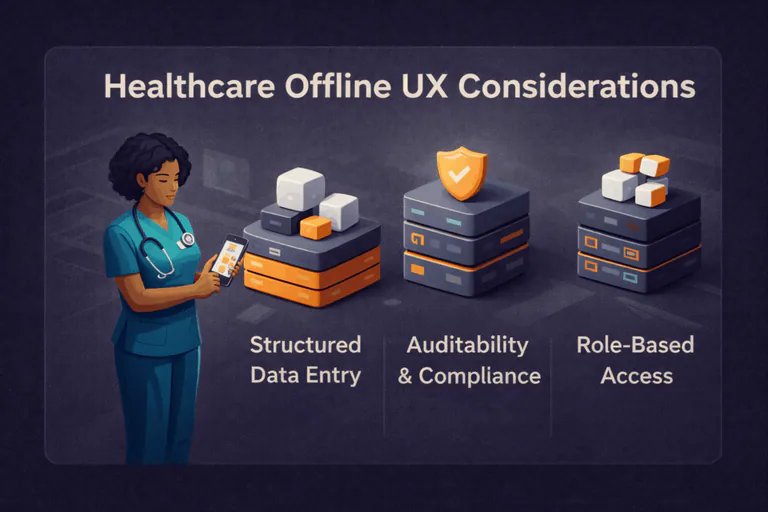
Healthcare UX is form-heavy by necessity.
Offline UX should:
The system not the user should manage risk.
Users must trust that offline data:
UX should reinforce compliance implicitly, without exposing backend complexity or technical jargon.
Not every user requires identical offline capabilities.
Design offline access by role:
This reduces unnecessary data load, improves performance, and simplifies usability.
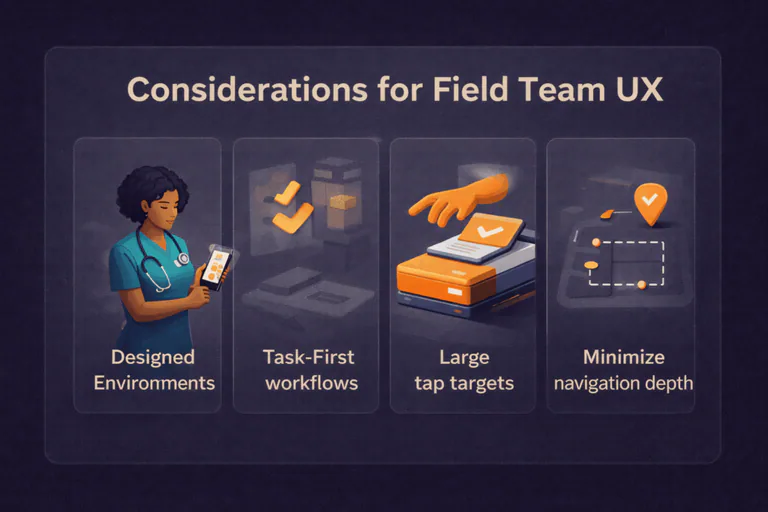
Field users may be:
Offline UX must support:
Precision UX fails in imprecise environments.
The most effective field service mobile app design is action-oriented.
Offline UX works best when users:
This mirrors real-world field behavior and reduces friction.
Wondering what mobile app development really looks like?
UX does not exist in isolation. Architecture decisions directly constrain or enable offline experience.
Offline-ready mobile apps require:
Modern frameworks such as Ionic and React Native enable:
Teams often fail at offline UX not due to poor design but because architecture was never built to support it.
Offline UX success is not measured by visual polish.
Key indicators include:
If users trust the app offline, overall product adoption increases—online and off.
Recurring offline UX failure patterns include:
Offline UX must be intentionally designed, not patched later.
Want to explore solutions tailored to your team?
Designing apps for offline use is not a technical checkbox. It is a strategic product decision.
For healthcare and field teams, offline-first UX:
The best offline mobile apps feel invisible. They work when users need them most and never demand attention when they do not.
OpenForge helps teams design and build mobile apps where offline UX, performance, and scalability are engineered from day one.
Offline mobile app design enables core functionality without internet access while preserving usability, data integrity, and reliable synchronization.
Offline-first UX prioritizes offline use cases during design, ensuring workflows remain fully functional under limited or no connectivity.
Healthcare professionals operate in environments where speed, accuracy, and reliability are essential even without consistent network access.
Apps use local storage, background synchronization, and conflict-resolution logic to safely sync data when connectivity returns.
Healthcare, field services, logistics, inspections, construction, utilities, and remote operations benefit most from offline-capable mobile apps.


Continue reading
OpenForge insight
January 25, 2026
OpenForge insight
November 26, 2025
OpenForge insight
November 25, 2025