Schedule a Free Demo Schedule a Free Demo TALK TO AN EXPERT 1. What’s the main difference between a chatbot and an AI agent? 2. Do users actually like interacting with AI instead of humans? 3. Where should I start if I want to move beyond a simple chatbot? 4. How do we keep AI agents from feeling like a black box? 5. How can OpenForge help with designing AI into our mobile app?
Everyone “added a chatbot” in the last few years. Very few teams are honestly happy with how it feels inside their app.
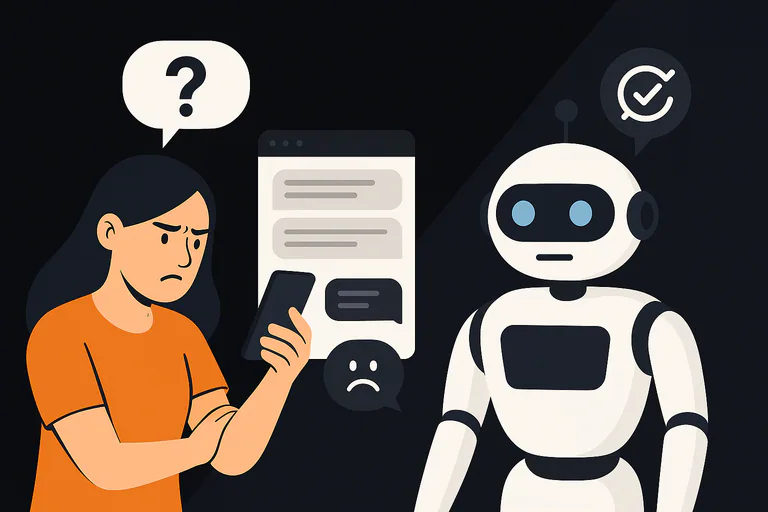
Maybe this sounds familiar: you launched a bot to help users self-serve, reduce support load, or personalize onboarding. Instead, you got confused users, half-completed flows, and a support team that still handles the hardest issues, only now with more context to untangle.
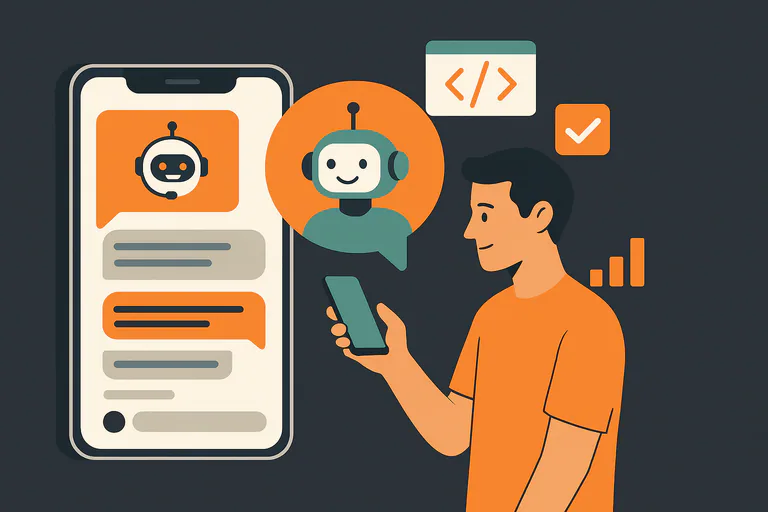
Meanwhile, AI has moved on. We’re no longer just talking about simple chat widgets. We’re talking about agents: systems that can understand intent, plan multi-step actions, call tools, and update data without a human steering every move. Analysts and vendors describe this shift as agentic AI, AI that can plan, decide, and act toward a goal with limited supervision, not just answer questions.
If you’re a founder, product lead, or CTO, your question is not “Should we add AI?” anymore. It’s:
“How do we bring AI into our mobile UX in a way that users trust, that fits our product, and that doesn’t turn into the next over-hyped, under-delivering project?”
This guide walks through the shift from chatbots to agents, and how to design AI inside your mobile app so it supports your users instead of getting in their way. Along the way, we’ll show where a partner like OpenForge can help you turn AI from a nice demo into a reliable part of your product.
Table of Contents
Why “Just Add a Chatbot” Stopped Working
The first wave of chatbots focused on one thing: answering questions quickly.
On paper, that worked. Many users appreciate fast, always-on support: industry stats show chatbots are valued for 24/7 availability and instant responses, and they clearly help with basic questions and cost reduction. At the same time, other surveys report that a large majority of people still prefer talking to humans for complex support, and feel that bots often miss nuance or context.
In practice, a lot of mobile chatbots failed because they:
- Didn’t understand context from the rest of the app
- Couldn’t actually do much (no actions, no real integrations)
- Felt obviously robotic in tone and logic
- Trapped users in endless “Did that solve your problem?” loops
Users learned to see them as a gate, not a helper.
At the same time, leadership teams watched a different problem: AI hype outran delivery. We’ve already seen “AI-powered” platforms publicly challenged when promises about automation and accuracy didn’t match reality, and analysts have called out the risk of superficial “AI washing.”
So as we design the next generation of AI experiences, the bar is higher:
- You need clear business value, not just “we have AI too”
- You need transparent capabilities, not smoke-and-mirrors
- You need UX that reflects what the AI can really do today, and what it can’t
That’s where the shift from chatbots to agents matters.
Chatbots vs Agents: What Actually Changes?
From a UX point of view, the important difference is not the buzzword, it’s what the system can do on behalf of the user.
- A traditional chatbot mostly responds. It answers questions, surfaces knowledge base content, maybe runs a few simple workflows.
- An AI agent can decide and act within guardrails. It can break down a goal, decide which steps to take, call APIs or tools, and update data often without the user specifying every individual step. Definitions from major vendors like IBM and Google Cloud frame agentic AI as systems that autonomously plan and execute multi-step tasks toward a goal.
For a mobile UX, that difference is huge.
A chatbot says:
“Here’s an article that might help.”
An agent says:
“I’ve checked your subscription, applied the new plan you qualify for, and updated your billing date. Here’s what changed.”
Design-wise, that means you’re no longer just designing a conversation. You’re designing:
- How the system takes initiative
- How it shows its reasoning (or at least a clear summary)
- How it asks for permission before doing something important
- How it recovers when it’s wrong
This is where teams get stuck: the tech is powerful, but without proper UX design, it feels chaotic or unsafe.
Get expert support to launch and scale your mobile app
Start with Use Cases, Not “We Need AI in the App”
The temptation is to start with the model (“We should use GPT-4/Claude/etc.”). From a UX and product point of view, that’s backwards.
Instead, start by mapping jobs to be done inside your mobile app:
- What are the top 3–5 moments where users struggle or drop off?
- Where does your support or onboarding team repeat the same explanations again and again?
- Which flows require a lot of manual stitching between screens, forms, and settings?
Then ask:
“If I had a capable assistant sitting next to the user at this moment, what would I want it to do for them?”
That might look like:
- Summarizing complex health, finance, or logistics data into a plain-language explanation
- Recommending the next best action based on behavior and rules
- Completing a multi-step task (configure, confirm, apply) while checking for edge cases
OpenForge’s AI app development guide leans heavily on this: use cases first, models second. The technology is flexible, but the value comes from designing around real user goals, not around an abstract “AI layer.”
If you want a broader view beyond one vendor, there are also neutral primers on AI application design from developer-focused sources, like OpenAI’s AI application development track, which covers how to move from prototype to production-grade AI features.
Designing AI into Your Mobile UX (Without Losing the Plot)
Once you know what your agent should help with, you can design how it shows up in your mobile experience. This is where UX choices either build trust or quietly kill adoption.
1. Make AI a Native Part of the Flow, Not a Separate Toy
If your AI only lives in a floating chat bubble, it will mostly be used as a last resort.
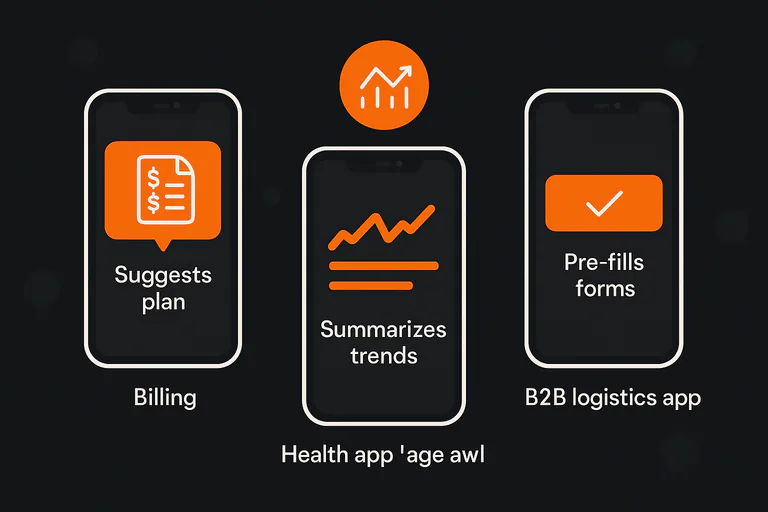
In high-performing apps, AI is woven into existing flows:
- On a “Billing” screen, an agent quietly suggests the best plan based on usage.
- In a health app, an agent summarizes trends and flags what might be worth discussing with a clinician.
- In a B2B logistics app, an agent pre-fills forms based on previous orders, then asks the user to confirm before submitting.
UX research on conversational AI and agentic interfaces shows that context-aware entry points (AI appearing where the user already is) perform better than generic chat widgets buried behind an icon.
OpenForge’s mobile app development services are built around that idea: AI should feel like a natural extension of the product, not a separate experiment bolted onto the side.
2. Show What the Agent Can and Can’t Do
One of the fastest ways to break trust is to let users assume the agent is smarter or more powerful than it really is.
Good AI UX:
- Clearly sets scope (“I can help you manage your plan and payments, but I can’t give tax advice.”)
- Explains data sources (“I’m using your last 6 months of usage and today’s pricing.”)
- Offers human escalation for anything sensitive or unclear
Academic work comparing AI chatbots and human agents shows that satisfaction depends far more on resolution and clarity than on whether the interaction is “AI” or “human” in the abstract.
In regulated or high-risk contexts (healthcare, finance, enterprise), OpenForge usually designs hybrid flows: the agent handles routine steps, but key decisions or edge cases are surfaced for human review. This keeps speed and safety in balance.
3. Give Users Control and a Clear Way to Undo
Agentic systems can now make more decisions on their own, but that doesn’t mean they should feel like a “black box.”
Practical UX patterns include:
- “Here’s what I’m going to do, do you confirm?”
- Clear history: “Here are the last 5 actions I took on your behalf.”
- Simple rollback for reversible changes (“Undo plan change” within a short window)
Recent UX work on trustworthy AI agents puts a lot of emphasis on visibility, reversibility, and consent, for example, frameworks like Designing Trustworthy AI Agents: 30+ UX Principles or guides on creating responsible and trustworthy AI agents for CIOs and product leaders.
This is also where OpenForge’s enterprise application development work comes in: designing agents that can act inside complex back-office systems while still giving business owners a feeling of control, auditability, and compliance.
Wondering what mobile app development really looks like?
Designing for Trust: Tone, Errors, and Edge Cases
Even the best AI system will be wrong sometimes. The question is not “How do we prevent any error?” but “How will the experience feel when it makes one?”
From a UX angle, that means:
- Tone: Friendly but direct. No over-promising. No fake confidence.
- Error handling: If the agent is unsure, it should say so and ask for clarification, not guess.
- Escalation: Clear handoff to human support when needed, with a short, useful summary so users don’t have to repeat themselves.
Customer research on AI support shows a pattern: people are open to AI when it’s fast and effective, but many still trust human agents more, especially for complex or emotional issues. That’s why hybrid models, AI plus human, are likely to dominate serious customer-facing workflows for a while.
OpenForge’s AI mobile app monetization guide looks at this from the business side: the same trust signals that make users comfortable paying also make them comfortable letting AI participate in key tasks.
From Prototype to Production: Where OpenForge Fits
Designing a great AI UX is only half the story. You still have to:
- Choose the right model and infrastructure
- Integrate with your existing systems
- Handle privacy, compliance, performance, and cost
- Ship safely to iOS and Android with a real roadmap, not just a hackathon demo
This is where a specialist partner makes a big difference.
OpenForge combines:
- Deep experience in mobile UX and engineering (Ionic, React Native, native)
- A growing body of AI-focused work, including guides on AI app development and generative AI application design
- A practical, consultative approach that ties every AI feature back to business outcomes: retention, conversion, support cost, or new revenue
Teams come to OpenForge when they’re past the “toy chatbot” stage and ready to:
- Turn a list of AI ideas into a focused, testable roadmap
- Redesign key flows to make AI feel native to their mobile app
- Ship an agent that can actually act on behalf of the user, with the right safety rails
If you’re looking at your current chatbot and thinking, “This isn’t what we were promised,” that’s a good sign it’s time to rethink both the tech and the UX behind it.
Conclusion
If you’re looking at your roadmap and wondering how to introduce AI agents into your mobile experience, without over-promising or breaking trust, this is the right time to get a second set of eyes on your plan.
👉 Schedule a free consultation with OpenForge to review your AI ideas, your current UX, and what it would take to turn “we should add AI” into a real, reliable part of your product.
Frequently Asked Questions
A chatbot primarily responds to user inputs with answers or content, often in a narrow domain. An AI agent can plan and act toward a goal: it understands intent, breaks it into steps, calls tools or APIs, and updates data on the user’s behalf within defined rules and guardrails. Definitions of agentic AI from providers like IBM and AWS all highlight this ability to autonomously pursue goals, not just reply to prompts.
Many users are happy to use AI as long as it is fast, available, and solves their problem. Surveys show that people appreciate 24/7 availability and quick resolution, but a majority still say they prefer humans for more complex or sensitive issues, and feel that businesses risk losing the “human touch” if they lean too hard on bots.
Start with specific use cases, not technology. Identify 2–3 moments in your mobile app where users struggle, drop off, or need guidance. Then design how an assistant could help in those moments, summarize, recommend, or act. Only after that should you pick models, tools, and integrations. Partnering with an experienced AI app team like OpenForge helps keep that sequence disciplined.
Good AI UX makes the system’s scope, data sources, and actions visible. That includes explaining what the agent can do, asking for confirmation before sensitive actions, providing a clear history of changes, and offering an easy way to escalate to a human. Design frameworks for trustworthy AI agents strongly emphasize visibility, reversibility, and consent.
OpenForge helps you move from idea to implementation: mapping use cases, designing flows where AI feels native to your mobile UX, choosing the right tech stack, and integrating safely with your systems. They bring together UX, engineering, and AI strategy so you don’t end up with a fragile prototype that never quite makes it to production.