OpenForge insight
Lucrative ChatGPT Apps Ideas You Can Build in 2026
ChatGPT Apps are changing the way developers build, launch, and monetize software. This guide covers everything from SDK to startup-ready app ideas.
December 19, 2025

OpenForge insight
By OpenForge editorial team · Published November 28, 2025 · Updated December 3, 2025
Schedule a Free Demo Schedule a Free Demo TALK TO AN EXPERT Are ChatGPT apps going to replace our mobile app or website? Do we need a huge AI team to build a ChatGPT app? How do we know which use case to build first? How will we measure whether a ChatGPT app is working?
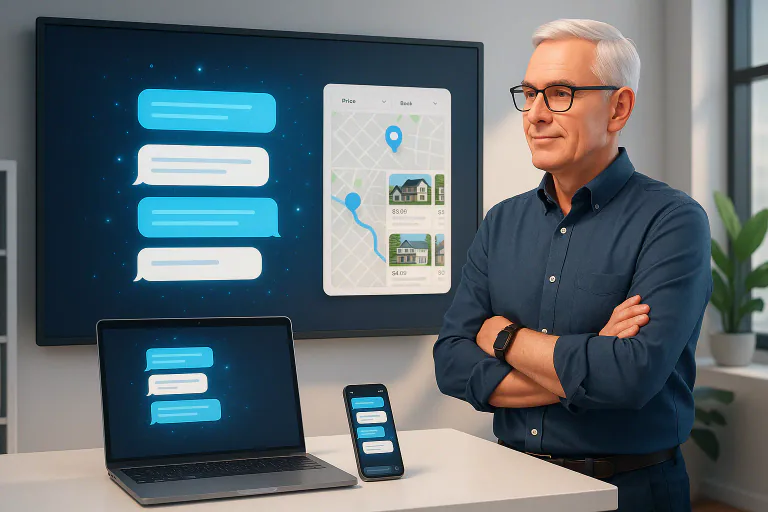
If you lead a product or engineering team, you probably think in terms of websites, native apps, and maybe a few chatbots on the side. The same people who google “what is chatgpt used for” or “how does chat gpt work” are now asking what happens next with ChatGPT apps, and even searching “what is chatgpt-5” or “how to access gpt-5” as new models roll out. With OpenAI’s new ChatGPT apps and the ChatGPT SDK, that mental model is already out of date. OpenAI is turning the core chatgpt app into a place where users can actually use your product, not just ask questions about it.
Instead of building a new feature into your own interface and hoping users discover it, you can create a focused chatgpt apps experience that lives directly inside ChatGPT. Think of it as a modern evolution of older chatgpt plugins and connectors, but with real UI, state, and logic, all sitting where 800+ million users already spend time. Under the hood, these experiences run on the Model Context Protocol, the ChatGPT API, and an AI SDK layer rather than a one-off bot you wire up with a single chatgpt api key.
For mobile leaders, this shift is especially important. Your customers already use ChatGPT mobile apps alongside your product and are comparing every experience to the best chatgpt app or the latest chatgpt ai app they have tried. With apps built on the ChatGPT SDK, you can meet them there with booking flows, dashboards, course content, or configuration tools that run inside the chat, then hand off to your own app when deeper interaction is needed. It is not about replacing mobile apps or chasing every chatgpt alternative. It is about adding a new, high-intent surface on top of what you already have.
This guide walks through what OpenAI actually shipped, why it matters for mobile and product teams, and how to think about strategy. We will keep the language practical: less theory, more “what does this change in my roadmap” for chatgpt for product managers, founders, and chatgpt developer teams. Along the way, we will show where ChatGPT apps, the ChatGPT SDK, ChatGPT mobile apps, the Model Context Protocol, and the legacy idea of chatgpt plugins fit together, and how a partner like OpenForge can help you turn chatgpt development services into a real product channel, not just a hackathon experiment.
Before you decide whether to invest, you need a clear, non-marketing view of what changed. OpenAI has turned ChatGPT into an app platform and given developers the ChatGPT SDK to build on top of it. For anyone who has ever searched “what is chatgpt used for” or “how does chatgpt work,” this is the next step: ChatGPT is no longer just a Q&A box, it is a runtime for chatgpt apps.
At a high level:
From a product-team point of view, this means ChatGPT is no longer just a model you call through the chatgpt api. It is a new front end where small, focused pieces of your product can live, and where a chatgpt developer or partner offering chatgpt development services can ship real features, not just prompts.
If you have ever looked for a “model context protocol explanation,” the short version is simple: MCP is an open standard that lets ChatGPT talk to tools and data, including APIs, databases, and even open source ai stacks. It sits between the chat experience and your systems so you can plug ChatGPT into your product in a structured, controllable way.
If you tried early chatgpt plugins or connectors, you probably felt the limits. They could call your API and return data, but most of the time ChatGPT still rendered that data as plain text. That was useful for narrow tasks, yet it did not feel like a real product experience or like the best chatgpt app a user would return to every day.
ChatGPT apps built with the ChatGPT SDK change that. Instead of only returning JSON and letting the model talk about it, your team can define:
For a user, it feels like this:
The mindset shift for product teams and chatgpt for product managers is simple but big:
You are no longer only pushing users into your app. You can bring slices of your app into ChatGPT when the conversation shows it is the right moment.
That is a different way to think about onboarding, feature discovery, and cross-sell, and it is also a very different mindset from spinning up a quick chatgpt alternative or one-off bot.
From the user side, ChatGPT apps are available to all logged-in ChatGPT users outside the EU on Free, Go, Plus, and Pro plans. OpenAI launched with partners like Booking.com, Canva, Coursera, Figma, Expedia, Spotify, and Zillow, and plans to add more throughout the year.
Practically, this means:
For mobile-focused teams, this creates a new pattern:
You use this surface for high-intent flows: configuration, quick actions, “try it now” moments, or guided trials. Done well, it feels less like “yet another channel to maintain” and more like a conversational top layer that routes serious users into your core product.
If your team already uses the ChatGPT API or an AI SDK, the natural question is: how is this different?
You can think of your stack as three layers:
For your architecture diagrams, the ChatGPT SDK sits alongside your existing mobile and web front ends. You still own your APIs, data, and security controls. The SDK simply adds another client: a conversational interface that already has distribution, trust, and daily usage.
This is why OpenForge treats the announcement as more than a new dev toy. It is a new front end for your product, tightly integrated with conversational AI, and it deserves the same level of product thinking you give to your main app whether you are building an internal tool, a customer-facing chatgpt ai app, or full chatgpt development services for your own customers.
Get expert support to launch and scale your mobile app
Most teams will be tempted to see the ChatGPT SDK as a technical update. It is much more than that. It gives you a new distribution and engagement layer that sits in front of your existing product surfaces, including your mobile app, web app, and any internal tools.
If you treat it as “just another integration,” you will miss the upside. If you treat it as a channel with its own user journeys and metrics, it can support acquisition, activation, and retention at the same time. For teams already investing in lifecycle journeys, experimentation, and mobile app marketing, chatgpt apps become a new, high-intent surface that plugs into that work instead of replacing it.
When people open ChatGPT mobile apps or the web client, they are not thinking “let me use a specific product.” They are thinking “let me solve a problem.” They type things like:
In that moment, your app does not exist to them. Their problem does. The new app platform flips the order:
That is not how people discover normal mobile features. If you ship a new flow in your app, you still have to push users there with banners, walkthroughs, and emails. Inside ChatGPT, the suggestion happens in the same place where the intent is expressed, at the exact second the user is thinking about it.
For a product team, that means:
Think of this layer as part intelligent search, part mini front end. It is not a replacement for your core product. It is a way to put the right slice of your product in front of the right user at the right time.
You cannot and should not rebuild your entire product as a ChatGPT app. The sweet spot is choosing the moments where a conversational flow adds more value than your existing interface.
Good candidates for a ChatGPT SDK integration often share a few traits:
For example:
In both cases, forcing the user to start inside a complex mobile interface is a barrier. Starting in a chat, then using a focused app surface, lowers that barrier and speeds them toward a meaningful action.
This is where OpenForge-style thinking matters. Instead of asking “What could we build with the ChatGPT SDK,” you start by asking “Which journeys feel clumsy in our app today because they really want to start as a conversation?” Only then do you decide what to move into ChatGPT.
The earlier chatgpt plugins wave showed that people will use AI as a command line for the internet. The new app platform builds on that behavior with richer UI, which has clear implications for your growth metrics.
New users often stall out at the same points:
A ChatGPT SDK implementation can act as a conversational onboarding coach:
The user’s first real interaction with your brand may happen inside chatgpt apps, but the result still lands in your own product where you can track it, improve it, and follow up.
Once a user knows your app, they still have questions. They may wonder how to:
Instead of forcing them through long help articles or buried FAQs, you can:
For mobile-first products, this is especially strong. People are already inside ChatGPT mobile apps throughout the day. Meeting them there, with context from past chats, can keep your brand part of their routine without asking them to juggle another interface.
Traditional upsell flows often feel like marketing. A conversational surface can make them feel like advice, as long as you handle it carefully.
For example, a user might ask:
Your ChatGPT app can:
That is still upsell, but it is driven by user intent, not a pop up.
When you connect these pieces, the role of the ChatGPT SDK becomes clearer. It is the toolkit that lets you place real product experiences inside the same conversational flow where intent, questions, and decisions already live.
OpenForge’s job in this world is not only to help you wire the integration. It is to help you decide which parts of your funnel belong in ChatGPT at all, how to measure them, and how to keep the experience aligned with your core mobile and web products rather than turning into a disconnected experiment.
A conversational app is not just “your website in a frame.” If you reuse the same old screens, you will fight the way people actually use ChatGPT. The ChatGPT SDK is most powerful when you treat conversation as the primary flow and UI as something that drops in only when needed.
This matters because:
Put together, that is a huge audience conditioned to chat in natural language, inside apps, and expect fast, self-service help. Your ChatGPT app and ChatGPT mobile apps should lean into this, not fight it.
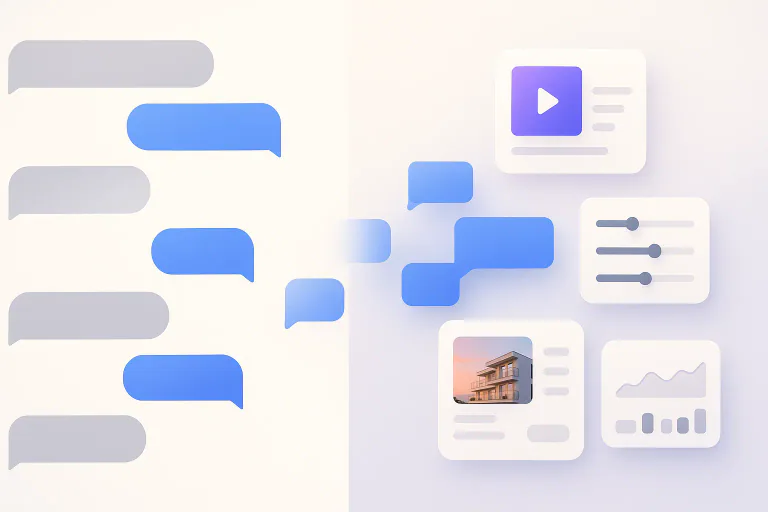
The new generation of apps in ChatGPT lets you mix:
The right pattern is usually: chat → mini UI → chat again, not “dump a full dashboard into the chat window.”
A few concrete UX patterns that work well:
The user stays in conversation, and the UI answers “what do I need to see or tap right now?”
Let the chat handle configuration, and let the UI handle confirmation:
This is where AI UX design really matters. You are designing a joint flow between text and interface, not just adding a form to a chat window.
Because your app lives inside ChatGPT, the user can literally ask the assistant about the interface they are looking at. A good pattern is:
This makes the experience feel less like a static embed and more like a guided, adaptive AI interface design.
We already have a preview of strong patterns from the first partners on the ChatGPT SDK, such as Booking.com, Canva, Coursera, Expedia, Spotify, and Zillow.
While you do not see their internal analytics, the use cases they chose are very revealing for product teams:
Travel (Booking.com, Expedia)
This aligns with broader behavior: mobile app stats show 70–90%+ of digital time is already in apps, so bringing a focused travel slice into ChatGPT reduces the jump from “idea” to “shortlist.”
Learning (Coursera)
This dovetails with conversational AI adoption in support and education: reports show 23% of companies are already using conversational AI, and another 44% plan to adopt it, which means users will increasingly expect educational and guidance flows to feel chat-native.
Shopping / discovery (Zillow, Spotify)
Here the lesson is simple: the apps handle the structured part, while the assistant handles the subjective part. That balance is exactly what you want when you re-imagine your own chatgpt plugins style integrations as full apps.
If you are a product or design lead, you do not need to reinvent everything. You need a small, opinionated playbook that respects how people already use conversational AI and mobile.
You can start with five principles.
This matches user preference trends: multiple studies show 45–65% of users prefer messaging or self-service channels for simple tasks, and they care more about clarity than raw speed.
Your ChatGPT experience will often sit next to:
Make sure the UX plays well with that reality:
When the assistant narrows options based on a chat, show those filters clearly in the app surface:
This builds trust, especially as surveys also show hesitancy about AI in critical flows. For example, Gartner found 64% of customers would prefer companies not use AI for customer service, largely because they fear losing control or access to humans. Clear UI constraints help counter that fear, even when the experience is fully automated.
A strong AI UX design includes escape hatches:
Given that 800 million people now use ChatGPT each week, small UX rough spots can turn into huge volumes of frustration if you do not plan for them.
For every ChatGPT app you ship, define:
This is where OpenForge typically partners with teams: we help frame your AI product strategy so you are not just creating a cool demo, but an additional funnel that ties back to activation, retention, and revenue in your core mobile and web apps.
In the next part, we will go under the hood: how the ChatGPT SDK, MCP, and your existing APIs fit together, and what your developers need to know before they scope a first proof of concept.
Once you decide that chatgpt apps belong in your roadmap, your next question is simple: what does my team actually have to build? The good news is that the ChatGPT SDK uses a clean pattern that fits well with modern product stacks. You reuse your existing APIs, design a new UI surface, and connect everything through the Model Context Protocol.
At a high level, every ChatGPT app has two core pieces:
From there, you connect to your own backend, models, and analytics just like any other serious product.
OpenAI’s Apps SDK is available in preview and is built on the Model Context Protocol (MCP), an open standard for connecting ChatGPT to external tools and data. The SDK extends MCP so developers can define both the logic and interface of their apps, and it is open source, which means apps can run anywhere that adopts the standard.
The official quickstart breaks it down into two building blocks:
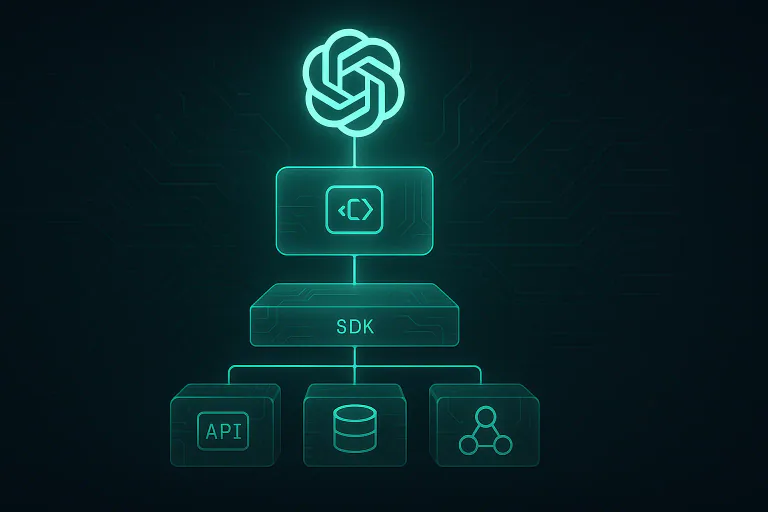
You ship the component, and ChatGPT renders it in an iframe inside the chat. Your MCP server then acts as the “bridge” between that UI, ChatGPT, and your backend services.
MCP itself is worth understanding, because it is not just an OpenAI invention. It is an open protocol for connecting AI applications to external systems, often described as a kind of USB-C port for AI. In other words, once you build an MCP server, it can in principle serve ChatGPT apps, internal assistants, or other AI clients that understand MCP.
For your architecture diagram, the picture looks like this:
This is also where strong UX and UI design practice matters. The component you build is not a full dashboard; it is a slim, high-signal surface that must work inside a vertical chat layout with limited space and short attention spans.
Wondering what mobile app development really looks like?
Once your skeleton is in place, you connect the app to real product behavior. The Apps SDK and MCP do not replace your backend; they expose it in a structured, model-friendly way. OpenAI’s docs recommend thinking in terms of “tools”: each tool has a name, an input schema, and an output schema that the model can reason about.
A typical request flow looks like this:
If you already use OpenAI’s APIs elsewhere, this part will feel familiar. The difference is that chatgpt apps give those APIs a native home inside ChatGPT, instead of forcing users into your own UI every time.
From an engineering standpoint, it helps to treat the ChatGPT app as another first-class client in your ecosystem, alongside mobile and web. The same design patterns that keep your codebase modular for many teams, like the ones we describe in our guide on how to structure your mobile codebase for multi-team scaling, also keep your MCP layer clean and maintainable.
A few practical habits for this layer:
Done right, you do not create “AI logic” and “product logic” as separate universes. You expose well-designed product logic through MCP, then let ChatGPT orchestrate it.
Security and governance are not afterthoughts. OpenAI’s app developer guidelines already require that ChatGPT apps follow usage policies, be suitable for all audiences, and include clear privacy policies. Apps must also collect only the minimum data needed and be transparent about permissions.
At runtime, three things matter most for your team:
This is not only about risk reduction. OpenAI has already stated that app submissions and a public app directory will open later, with better placement for apps that meet higher standards of design, reliability, and safety. If you want chatgpt apps to become a durable acquisition channel, you want to qualify for that tier, not scrape by at the minimum.
At the same time, the business context around ChatGPT apps will keep evolving. Questions like pricing, positioning, and which workflows belong in ChatGPT versus your own app tie directly into the broader conversation about AI-native business apps in 2026 and beyond, something we cover in more depth in our business apps 2026 guide.
Put differently: the underlying SDK and MCP stack is straightforward. The hard part is deciding what to build and how to make it feel like a natural extension of your product, not a bolt-on bot. That is where strategy, UX, and architecture come together, and where OpenForge usually partners with teams who want their first ChatGPT app to be more than a one-off experiment.
Once the idea clicks, the next question is always the same: “What is the practical path from our current product to real chatgpt apps in production?”
You do not need a massive rebuild. You need a focused roadmap that treats ChatGPT as one more front end for your product, alongside web and mobile, and uses the ChatGPT SDK in a disciplined way.
A simple way to think about it is three stages.
Most teams start in the wrong place: “What could we build?” The better starting point is “Where are users already telling us they want a conversation instead of a screen?”
In discovery, your team can:
Good candidates for your first ChatGPT app share a few traits:
By the end of this stage you should have one “hero” use case, a clear success metric (for example time to first value, plan selection rate, or completion of a setup), and a rough idea of how this will appear in ChatGPT mobile apps and web.
With the target use case chosen, you can shape a narrow MVP around the ChatGPT SDK and MCP:
Your first version does not need every option your full interface has. In fact, it should not. The point is to prove that:
During this stage, it helps to dogfood internally. Ask your own product managers, success team, and sales engineers to solve their real tasks through the new app surface. Watch where the flow breaks, where the model gets confused, and where the UI needs one more hint or field.
Once a basic flow works, the temptation is to pile on features. Resist that. Instead, treat your ChatGPT app as a new funnel you want to understand deeply.
You can:
Over time, you might add:
The key is that each iteration ties back to your core product metrics, not to “AI experiments” that live on their own island. This is where good product discipline and architecture patterns pay off, because your ChatGPT integration shares services, analytics, and guardrails with your main app instead of drifting into a separate stack.
For many teams, the gap is not “Can we wire the ChatGPT API or ChatGPT SDK?” The gap is how to turn this into a real product channel that fits cleanly with existing mobile and web work, marketing plans, and engineering capacity. That is where OpenForge usually steps in.
We tend to focus on three areas.
First, we help you decide whether and where chatgpt apps belong in your roadmap at all. That usually starts with a short strategy sprint that covers:
From there, we map one or two “hero” use cases and outline which should live in ChatGPT, which should stay in your main app, and how they connect. This is also where we align the ChatGPT work with your existing acquisition and lifecycle efforts, including what you are already doing on mobile app marketing, UX, and growth experiments.
Next, we help design the actual experience. Chat-based flows need a different mindset than traditional screens, so we pair conversation design with classic UI and UX craft.
The work often includes:
Our UX and UI teams have already spent years designing mobile and web products, so they think in terms of clarity, scannability, and how this app will sit next to your existing interfaces. The goal is to ship a ChatGPT app that feels like your product, not a generic bot skin.
Finally, we help your engineering team implement and scale the integration in a way that will not collapse under future work. That means:
We lean on the same patterns we use when helping teams structure mobile codebases for multi-team scaling, because a ChatGPT client is just one more surface pulling on shared services. Logging, observability, and testing are treated as first-class concerns, not something bolted on later.
If you already have strong internal engineers, our role may be more about pairing, setting patterns, and reviewing designs than writing every line of code. If you need more hands-on help, we can handle full AI app development for the first version and then hand it back to your team.
ChatGPT started as a place where people asked questions. With chatgpt apps and the ChatGPT SDK, it has become a place where people complete real tasks with real products. For product and mobile teams, that is not a small shift. It is a new front door.
You do not need to rebuild your whole product in ChatGPT. You do not need to chase every new feature OpenAI ships. All you need is:
The teams that move early and thoughtfully will gain something important: a direct line into the place where users already think, plan, and decide what to do next. Teams that wait will still be able to build, but they may be competing with several other apps in the same space inside ChatGPT itself.
If you want help deciding whether this belongs in your roadmap, clarifying the first use case, or actually shipping a production-ready ChatGPT app that ties into your mobile and web stack, OpenForge can step in at any of those stages. The technology is ready. The question now is how you use it to create durable product advantage, not just another AI demo.
No. ChatGPT apps act as an extra front door, not a replacement. They handle high-intent, conversational flows and then hand users back into your core product.
Not necessarily. If you already have APIs and a decent frontend stack, a small cross-functional squad can ship a focused chatgpt apps MVP using the ChatGPT SDK and MCP.
Look for journeys that start as questions and feel clumsy in your current UI. If users keep asking support or sales to “walk them through” something, that’s a strong candidate for a ChatGPT app.
Treat it like a new funnel: track entry intent, completion of the core action in the ChatGPT experience, and handoffs into your product. If it improves activation, retention, or upsell versus your existing flows, it’s doing its job.


Continue reading
OpenForge insight
December 19, 2025
OpenForge insight
November 26, 2025
OpenForge insight
December 23, 2025