Schedule a Free Demo Schedule a Free Demo Schedule a Free Demo TALK TO AN EXPERT 1. Is on-device AI always better than cloud-based AI? 2. Will on-device AI drain the user’s battery? 3. Does on-device AI solve all my privacy problems? 4. Is on-device AI only for high-end phones? 5. How can OpenForge help with on-device AI in my mobile app?
For the last few years, “AI in your app” usually meant one thing: you send data to the cloud, wait for a response, and hope latency, cost, and privacy all behave. That model worked fine for early experiments, but as you start shipping more AI-powered features, the cracks begin to show. Your cloud bill keeps creeping up with every prompt, API call, and inference. Users start to complain that the experience feels slow or laggy whenever their connection isn’t perfect. Inside the company, security and compliance teams begin asking tougher questions about where data goes, how it’s stored, and who can access it.
At the same time, chipmakers, OS vendors, and model providers are pushing hard in a different direction: on-device AI. Instead of sending everything to remote servers, more of the intelligence now runs directly on the phone or tablet itself. For founders, product leads, and CTOs, that shift raises a very practical question: when does it actually make sense to run AI on-device, and when is the cloud still the better choice?
This guide breaks down that decision across three angles, performance, privacy, and cost,and shows how a team like OpenForge can help you design the right mix for your mobile product, instead of guessing or following hype.
Table of Contents
What We Mean by “On-Device AI”
“On-device AI” is a broad term, but in a mobile context it usually means:
- The model (or part of the model) runs directly on the device
- The user’s data is processed locally, not sent to a remote server for every inference
- The app can still use the cloud, but it doesn’t depend on it for every AI interaction
This includes things like:
- Local language models for summarization, classification, or intent detection
- On-device vision models for image understanding or document scanning
- Hybrid setups where a small local model handles “fast path” requests and only escalates to a bigger cloud model when needed
Platform owners are leaning in here. Apple highlights privacy-friendly on-device ML throughout its machine learning resources, and Google pushes developers toward on-device ML with ML Kit for low-latency use cases on Android.
On the product side, teams like OpenForge use on-device AI as one part of broader AI app development strategy: you mix local and cloud inference depending on what the user is trying to do and what the business needs.
Performance: Speed, Latency, and UX
From a user’s point of view, AI is either instant and helpful or slow and annoying. They don’t care where it runs, only how it feels.
On-device AI has one big advantage: no round-trip to the server for every request.
That means:
- Responses can feel near-real-time, even on flaky or slow networks
- Interactions like autocomplete, recommendations, or smart previews can update as the user types or swipes
- You avoid random latency spikes caused by server load or network congestion
Get expert support to launch and scale your mobile app
Google’s documentation around on-device and edge AI pushes exactly this angle: offloading work to the device reduces latency and unlocks new real-time interactions.
In practice, this is where on-device really shines:
- Micro-interactions: smart search, text suggestions, inline summaries, “smart compose” style UX
- Visual feedback: live camera overlays, AR hints, document edge detection, barcode or object recognition
- Offline or low-connectivity scenarios: field work, travel, rural areas, or privacy-sensitive environments
For heavier reasoning or creative tasks, you often still rely on the cloud. A realistic pattern is:
- Run fast, bounded tasks on-device (classification, ranking, simple generation, routing)
- Escalate complex or open-ended tasks to the cloud when needed (deep reasoning, complex content creation, multi-step workflows)
OpenForge’s mobile app development services start from this UX reality: which interactions truly need instant local feedback, and which can tolerate a second of delay for a more powerful cloud model? That product decision shapes the entire architecture.
Privacy: Data Stays on the Device (Mostly)
As soon as you mention AI in regulated or sensitive domains, healthcare, finance, enterprise, education, you will hear the same concerns:
- What data leaves the device?
- Where is it stored?
- Which vendors and regions are involved?
- Who else can train on or inspect that data?
This is where on-device AI is especially attractive.
Because processing can happen locally:
- You can keep raw user content on the device, only sending minimal signals (or nothing at all) to the cloud
- You can answer more privacy questions with confidence (“This feature runs locally. Your data doesn’t leave your phone.”)
- You reduce the number of third parties that ever see sensitive inputs
Apple’s public privacy messaging, like its “on your device” language around on-device intelligence and privacy, leans heavily on this idea: whenever possible, keep computations on the user’s hardware instead of shipping data out to remote servers.
For some businesses, this isn’t just “nice to have”, it’s the difference between getting a contract approved or having the security review stall your deal for months.
At the same time, “on device” doesn’t magically make you compliant. You still need to:
- Explain clearly what runs locally vs in the cloud
- Design fallback behaviors for when the device can’t handle a specific request
- Handle logging, analytics, and error reporting in a way that doesn’t leak sensitive content
OpenForge’s enterprise application development work is often right in the middle of this: designing mobile AI flows that security and compliance teams can actually sign off on, not just marketing copy.
Cost: Cloud Bills, Scale, and Hidden Expenses
Cloud AI inference feels cheap at first, especially during prototyping. A few cents per thousand tokens or per image doesn’t look like much.
Then real usage starts.
- Daily active users grow
- You add more AI-powered touchpoints in the app
- People use the features more than you expected (which is a good problem… until the invoice lands)
Wondering what mobile app development really looks like?
Suddenly, finance is asking you why your AI line item is growing faster than revenue.
Cloud providers themselves publish guidance on this problem: articles on cloud computing costs and optimization warn how quickly unmanaged usage can spiral if you don’t actively design for efficiency.
On-device AI flips that model around:
- You pay for engineering and optimization upfront
- You may pay more attention to client performance, device compatibility, and model size
- But ongoing per-request inference cost can be dramatically lower, especially at scale
For many products, the sweet spot is a hybrid cost strategy:
- Use on-device models for common, repeated tasks that happen at large volume
- Use cloud models for occasional heavy lifting or specialized tasks
- Carefully log when the app falls back to the cloud so you understand the real cost profile
OpenForge’s AI mobile app monetization thinking ties all of this back to unit economics: AI features should not only feel good, they also need to make sense when you project usage out over thousands or millions of users.
Tradeoff 1: Model Quality vs Device Constraints
The first big tradeoff is obvious: larger models tend to perform better, but they are harder to run fully on-device.
Constraints include:
- Device CPU / GPU / NPU performance
- Available memory
- Battery impact
- App size limits (especially if you’re packaging multiple models)
Hardware vendors like Qualcomm talk openly about these limits even as they promote on-device AI acceleration on modern chipsets. You get impressive capabilities, but only if you design within the realities of mobile hardware.
So you have to decide:
- Which use cases need your best, most capable model?
- Where can a smaller distilled model do the job just fine?
- Can you use on-device models for routing (“Is this simple or complex?”) and only send complex tasks to the cloud?
A practical approach:
- Start with narrow, well-defined tasks for on-device models (classify, rank, suggest)
- Measure how much quality you actually lose compared to a big cloud model
- Upgrade or expand only where users demonstrably feel the difference
OpenForge often runs side-by-side experiments: one group uses a pure cloud flow, another uses a hybrid with on-device “fast path.” That data tells you where the tradeoff is worth it, and where it isn’t.
Tradeoff 2: Developer Experience vs Complexity
On-device AI usually means:
- New tooling (model converters, quantization, optimization pipelines)
- New failure modes (device differences, OS versions, thermal throttling)
- New integration points (on-device model runners, hardware accelerators, caching strategies)
If your team is already stretched thin, this can feel like a lot.
Cloud-only AI has a simple story: send request, get response.
The tradeoff is:
- Cloud-first is simpler to ship quickly, but can become expensive and slow at scale
- Hybrid or on-device is more complex to set up, but can give you better performance, privacy, and long-term cost profile
Want to explore solutions tailored to your team?
Platforms like Google’s ML Kit and other on-device SDKs try to bridge this gap, but there is still a learning curve.
This is where a specialist partner helps you avoid reinventing the wheel. OpenForge already works with:
- Cross-platform stacks like Ionic and React Native
- Mobile-specific AI runtimes and SDKs
- CI/CD pipelines that test AI behavior across devices
Instead of your team learning every edge case from scratch, you can plug into an existing toolkit and focus on the product decisions that matter.
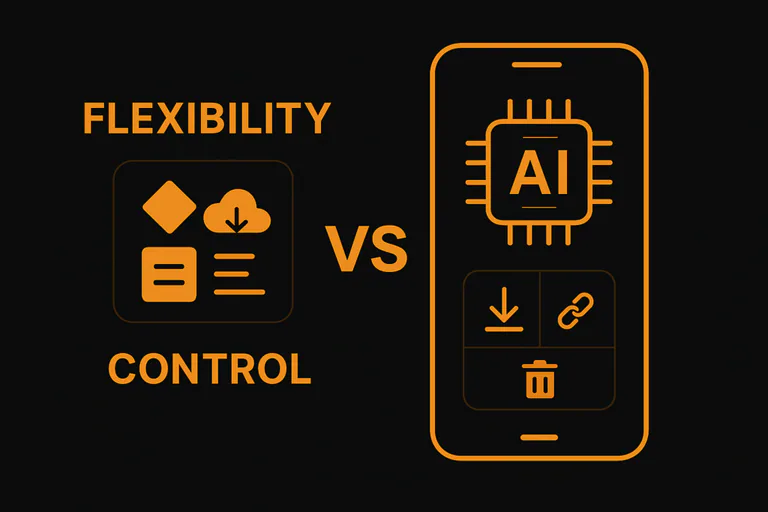
Tradeoff 3: Flexibility vs Control
Cloud-based AI is easy to update:
- Swap models
- Change providers
- Tweak prompts or system messages
- Deploy improvements without app updates
On-device AI, especially when models ship with the app, requires more planning:
- You need a strategy for model updates (app releases vs dynamic downloads)
- You need to handle version mismatches between app, model, and backend
- You have to think about storage limits and cleanup for older models
This is where edge and on-device AI overlaps with classic edge computing guidance: you get more control and local resilience, but you also take on more responsibility for deployment and lifecycle management.
In real products, the answer is rarely “only cloud” or “only device.” The key is designing:
- Which parts of the AI stack are stable enough to ship on-device
- Which parts you want to keep flexible and cloud-based for quick iteration
OpenForge helps teams draw that line in a way that fits both their roadmap and their risk profile, often using patterns they’ve developed across multiple generative AI application projects.
How OpenForge Helps You Choose the Right Mix
All of these tradeoffs, performance, privacy, cost, complexity, are connected. The “right” answer depends on your:
- Industry and regulatory environment
- Target users and their devices
- Business model and unit economics
- Appetite for experimentation vs stability
OpenForge works as a strategic mobile partner, not just an implementation team.
That usually looks like:
1. AI Feature and Architecture Workshop
- Map your current and planned AI use cases
- Identify where on-device makes a clear difference (latency, privacy, cost)
- Sketch a hybrid architecture that fits your tech stack (Ionic, React Native, native)
2. Prototype with Real Constraints
- Build a small, focused prototype using on-device models where they matter most
- Measure performance, perceived quality, and battery impact on real devices
- Compare against a pure cloud implementation to see the tradeoffs in practice
3. Plan for Scale and Governance
- Design how models will be updated, monitored, and rolled out
- Connect AI architecture decisions to business metrics: retention, NPS, support load, revenue
- Set up guardrails for privacy, logging, and compliance from the start
OpenForge’s broader AI and mobile work brings all of this together: UX, engineering, and AI strategy aligned with where you want the product to go, not just what’s possible technically.
Conclusion
If you’re planning your next wave of AI features and wondering how to balance performance, privacy, and cost, this is exactly the right time to zoom out and look at the architecture.
👉 Schedule a free consultation with OpenForge to review your mobile AI roadmap and explore where on-device AI could give you a genuinely better product, not just another buzzword in your slide deck.
Frequently Asked Questions
No. On-device AI is better for low-latency, privacy-sensitive, and high-volume tasks where a smaller model is good enough. Cloud-based AI is better for heavy, complex, or rapidly evolving tasks where you need the full power and flexibility of larger models. Most serious apps will end up with a hybrid approach, similar to how many modern AI systems combine edge and cloud.
It can, if it’s not designed carefully. Short, burst-style tasks (classification, quick suggestions, lightweight inference) are usually fine on modern devices. Long-running, heavy models need more attention: you may want to throttle usage, batch work, or offload some operations to the cloud. Profiling on real devices is essential.
It helps, but it’s not a magic wand. Processing data locally reduces exposure to third-party systems and networks, which is great. But you still need to handle logs, analytics, crash reports, backups, and any cloud fallbacks carefully. You also need clear communication with users and internal stakeholders about what stays on the device and what doesn’t.
High-end phones benefit the most from powerful on-device accelerators, but many on-device models can be optimized to run on mid-range devices too. You may choose to degrade gracefully: richer experiences on newer devices, simpler behaviors on older ones. A good architecture makes those differences manageable, not chaotic.
OpenForge can help you:
- Decide where on-device AI actually makes sense for your product
- Design hybrid architectures that balance performance, privacy, and cost
- Implement and test on-device models across real devices and platforms
- Tie AI decisions back to clear business outcomes, not just technical curiosity